Skip to content Guestivity
My scrapbook

UNLIMITED HOTELS. UNLIMITED ROOMS.

Endless possibilities.

Guestivity brings direct bookings, payments and day-to-day property operations into one platform—helping hoteliers spend more time looking after guests.

From your first property to your next opening, bring direct bookings, payments and daily operations together. Unlimited companies, hotels and rooms under one account for $9.99 USD for the first month, then $49.99 USD/month.

$9.99 USD
first month, then $49.99/month
3%
revenue share, with $2.99 USD setup
Unlimited
companies, hotels & rooms under one account
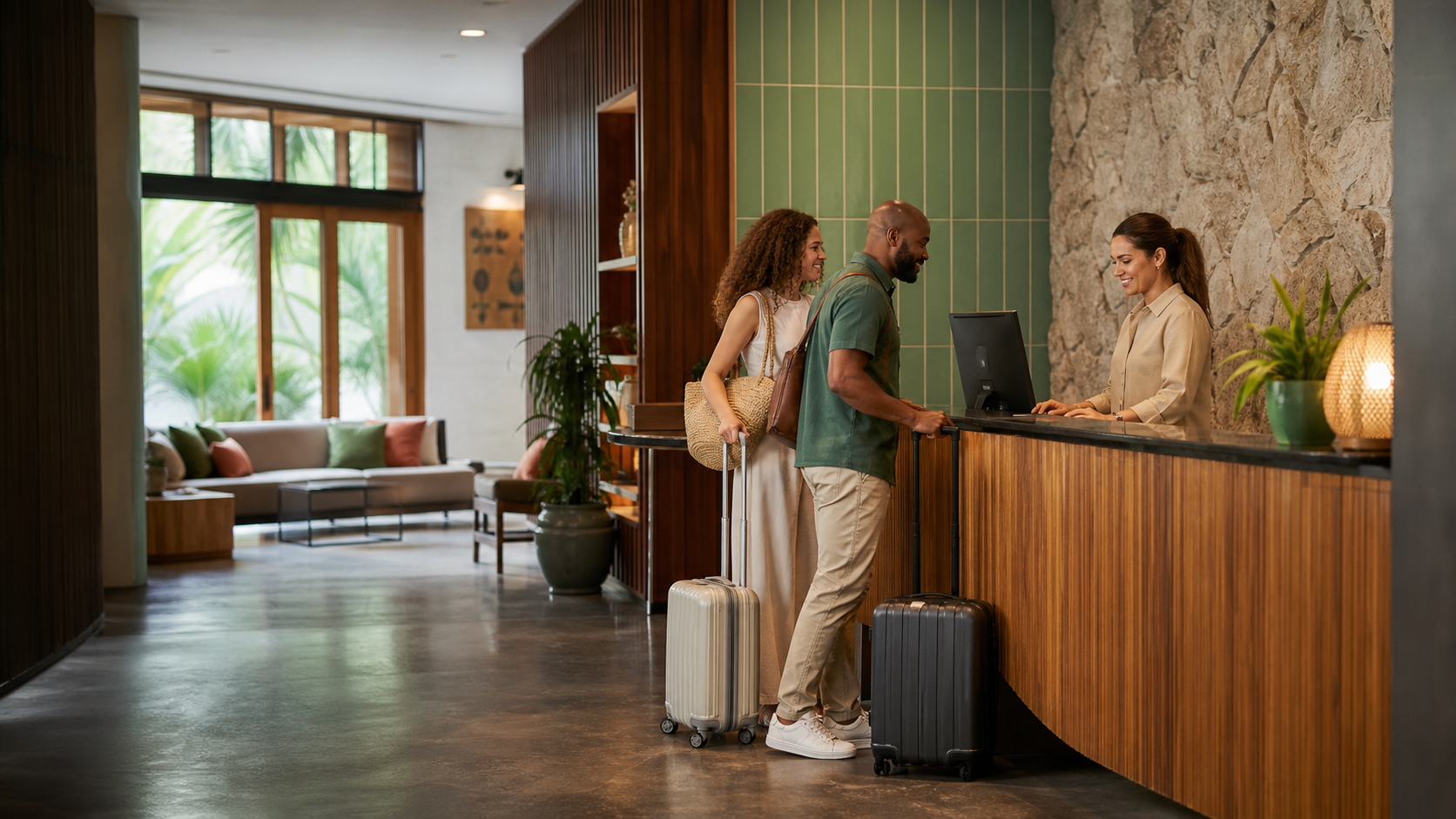
Hotel team welcoming guests at reception

Property command centre

One operating picture for every stay.

Bring your booking engine, front desk, room readiness, rates, payments and team access together around each reservation.

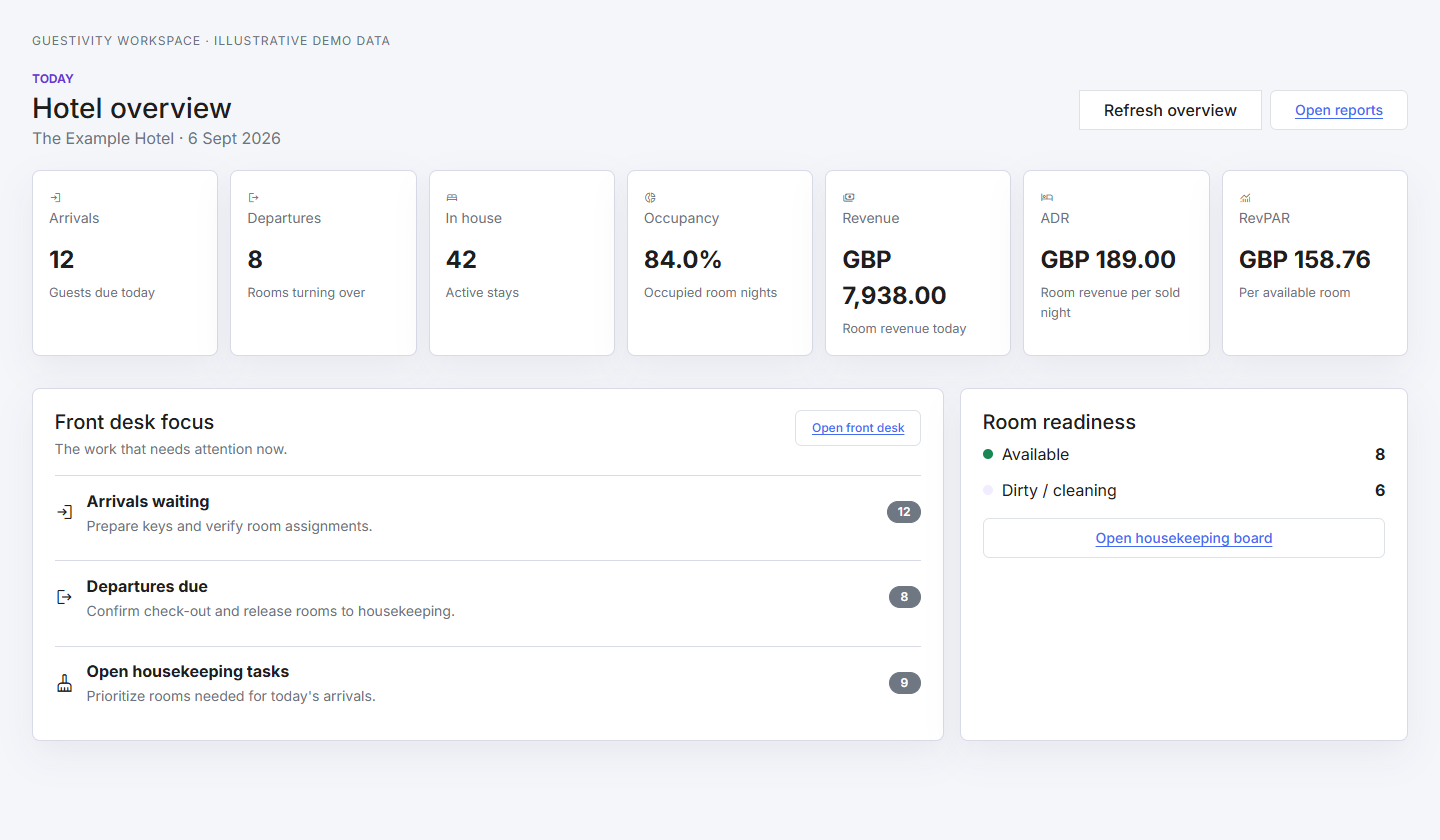
Arrivals
Departures
RevPAR
Room readiness
Guestivity front desk dashboard showing arrivals, occupancy and room readiness

Daily hotel workflows

Built around the jobs your team repeats all day.

Direct booking

Live availability, clear policies, guest checkout and reservation management.

Metasearch

Google Hotels first, Microsoft/Bing next, with official direct booking links.

Rates and inventory

Date-range controls for prices, closures, minimum stays and available rooms.

Front desk

Reservation states, room assignment, arrivals, departures and in-house views.

Housekeeping

Room readiness, task status, assignment notes and departure hand-offs.

Payments

Stripe subscription billing, Connect onboarding, refunds, payouts and payment records.

Team access

Organization roles and hotel scopes for owners, managers, front desk and housekeeping.

Reporting

Occupancy, revenue, ADR, RevPAR and the day's action queues.

Distribution

Official direct booking visibility, without forcing a channel manager.

Guestivity starts with native metasearch feeds. Hotels can add a channel manager later when they want broader OTA coverage.

Native first

Google Hotels

Hotel Center, free booking links and ARI feed readiness.

Native next

Microsoft/Bing

Lodging campaigns and Hotel Price Ads feed readiness.

Coming soon

Booking.com

Direct OTA connectivity is planned.

Coming soon

Expedia

Expedia connectivity is planned.

Optional

Channel managers

For hotels that want broader booking-channel coverage.

Simple pricing

Every hotel. Every room. One account.

Unlimited companies, hotels and rooms under one account. Choose a flat monthly subscription or pay as you earn with revenue share.

Flat monthly

$9.99 USD / first month

Then $49.99 USD/month for your entire account. Add hotels and rooms without increasing your monthly platform price.

  • Unlimited companies, hotels and rooms
  • No per-hotel or per-room platform charges
  • Direct booking engine and workspace operations
  • Metasearch feed eligibility
  • Separate guest payment setup
Revenue share

3% of room-rate revenue

$2.99 USD one-time setup. Then a platform fee on room-rate revenue, excluding taxes, fees and extras.

  • Unlimited companies, hotels and rooms
  • No fixed monthly platform fee
  • Hotel remains merchant of record
  • 3% on room-rate revenue
  • Payouts stay in the connected account

Payment-provider fees are separate. Compare plans and see the details.

Features

More time for your guests.
More control over your hotel.

From the first look at a room to the final invoice, keep the details of every stay together.

A clearer view of every stay

See the space. Plan the stay.

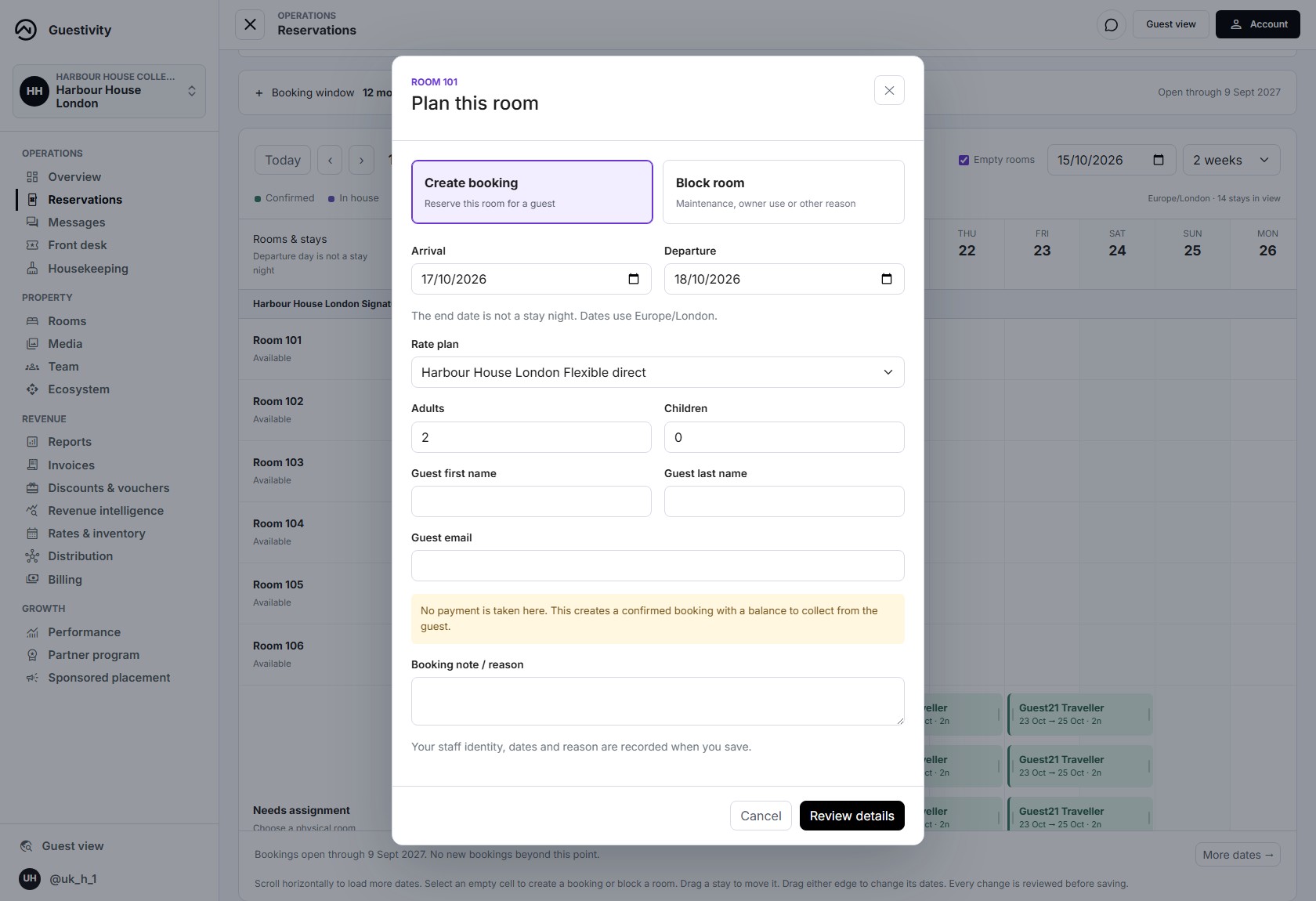
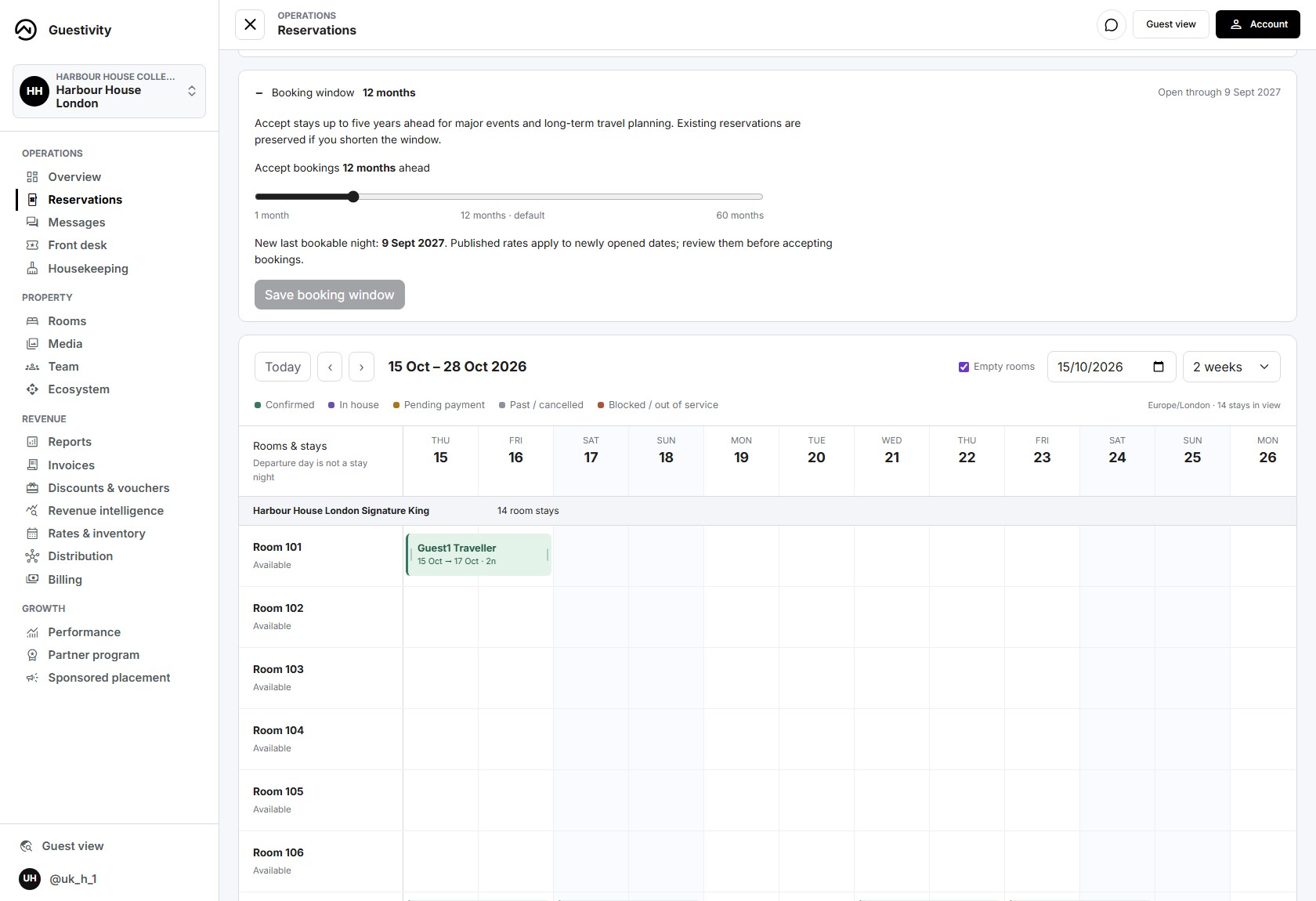
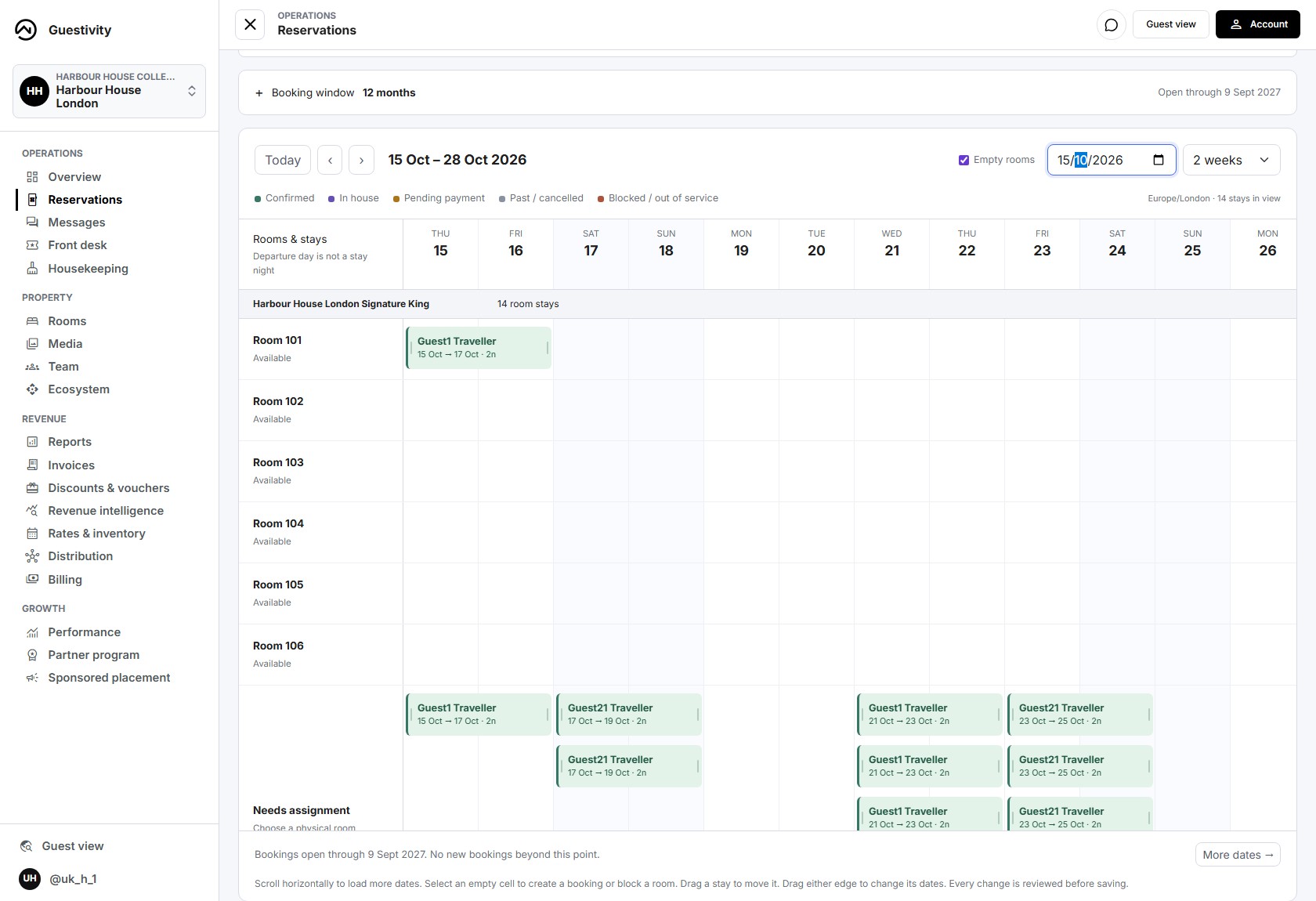
From a last-minute arrival to a major event five years away, turn your reservation calendar into the place your team plans the day. See stays, empty rooms and room blocks together, or switch to a searchable list.

  • Book or block in a click. Select an empty room and date to create a booking, or block time for maintenance and owner use.
  • Move stays with confidence. Drag bookings or resize their dates, review the changes before saving, and choose whether to email the guest an update.
  • Plan up to five years ahead. Set each hotel's booking window from 1 to 60 months, starting at 12. Scroll through dates with a clear booking boundary.
  • Keep your team accountable. Record who created a booking or room block, when they did it and the reason for the change.
Bring your front desk together

Your hotel. Your invoice.

Professional invoices, without the spreadsheet.

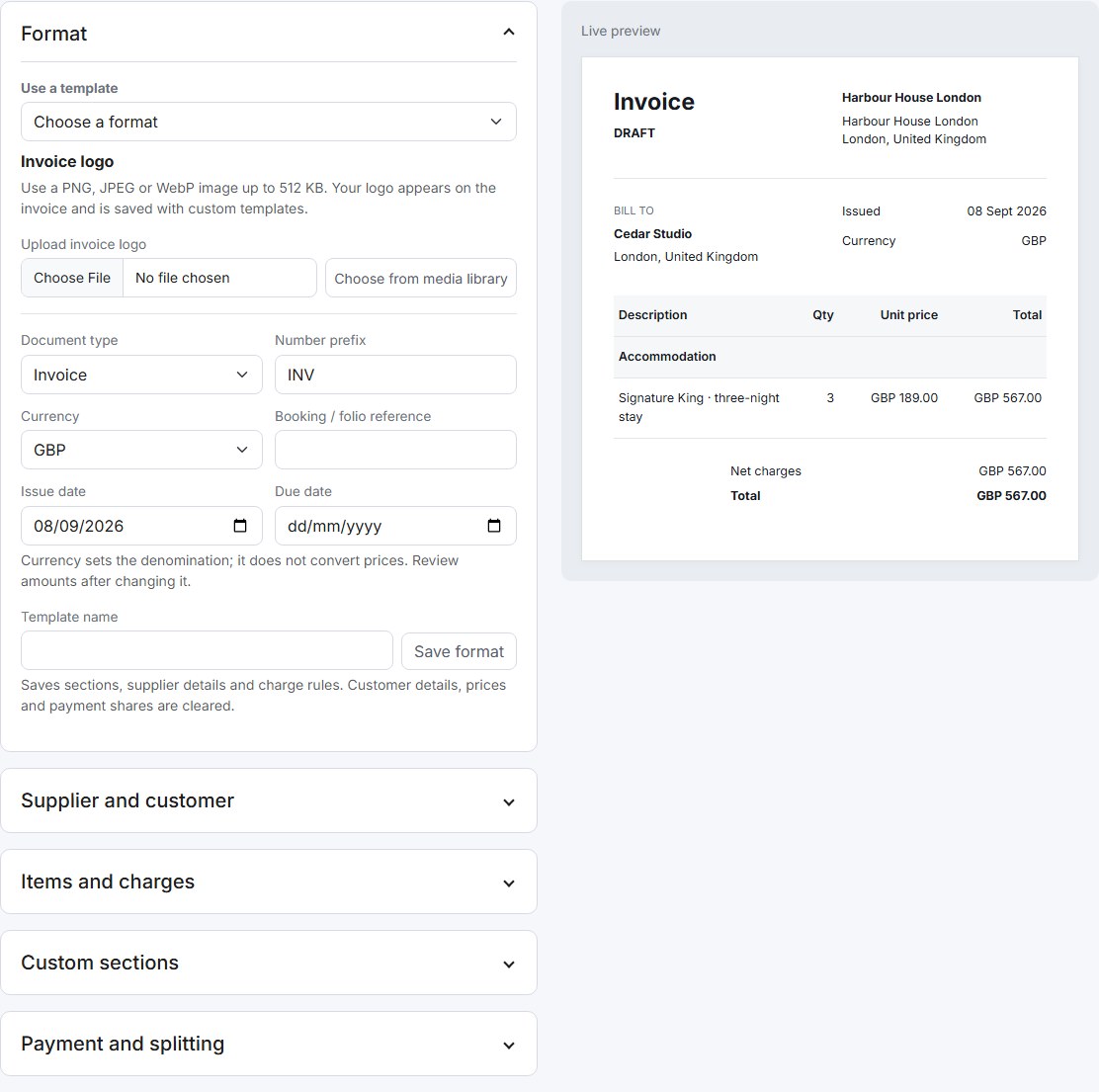
Create tax, confirmation and pro forma invoices using ready-made formats, or save a template of your own. Add your logo, choose a currency and arrange custom sections for stay details, charges and terms.

  • See the document take shape in a live preview.
  • Split a bill equally, by amount, percentage or line item.
  • Send each payer a private link and QR code for their share.
Explore invoicing & payments
Guestivity invoice editor with template, currency and custom section controls beside a live Harbour House London invoice preview
Invoice builder · Demo account with an unsaved example invoice.

The right offer. For the right guests.

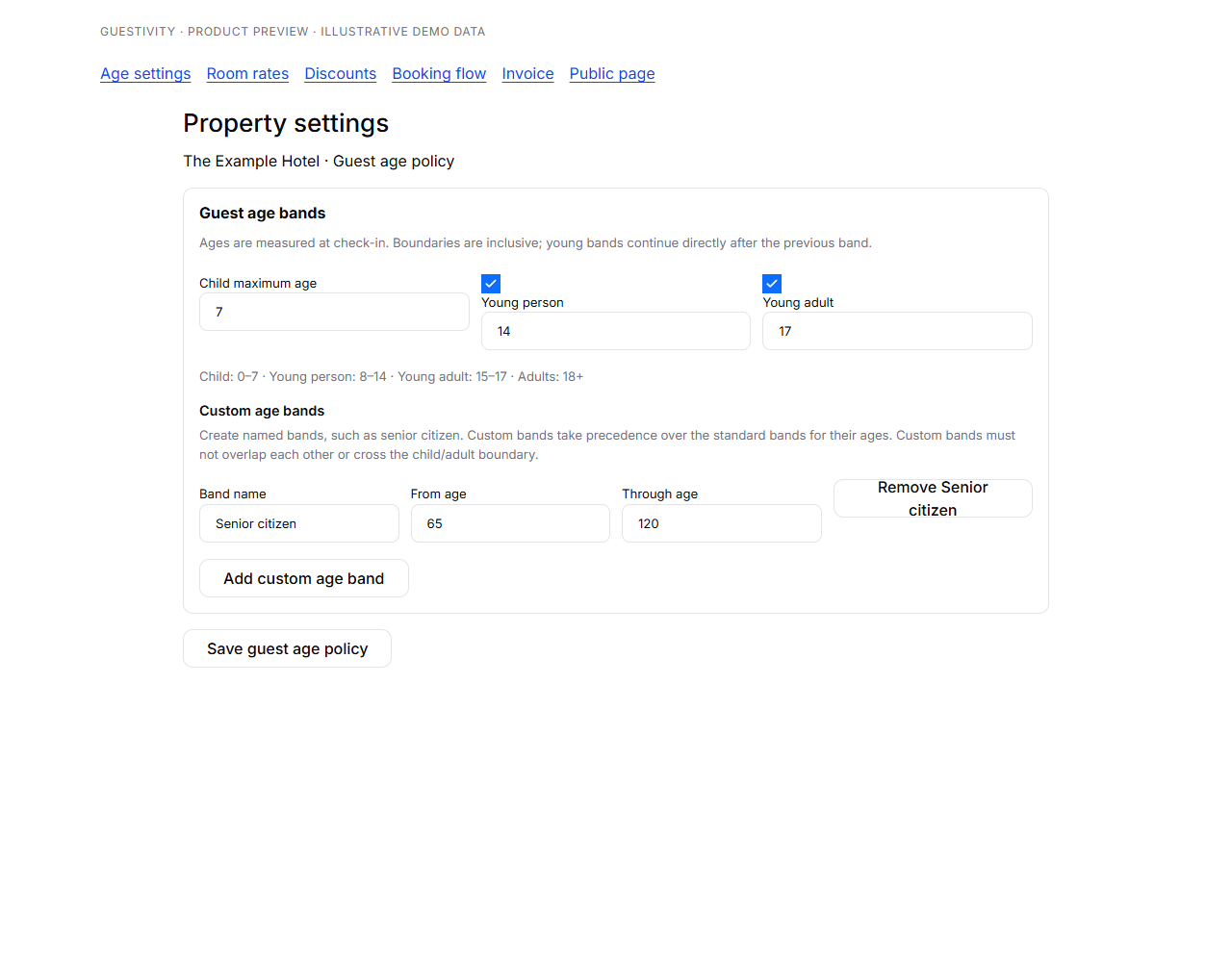
Discounts with room for every age.

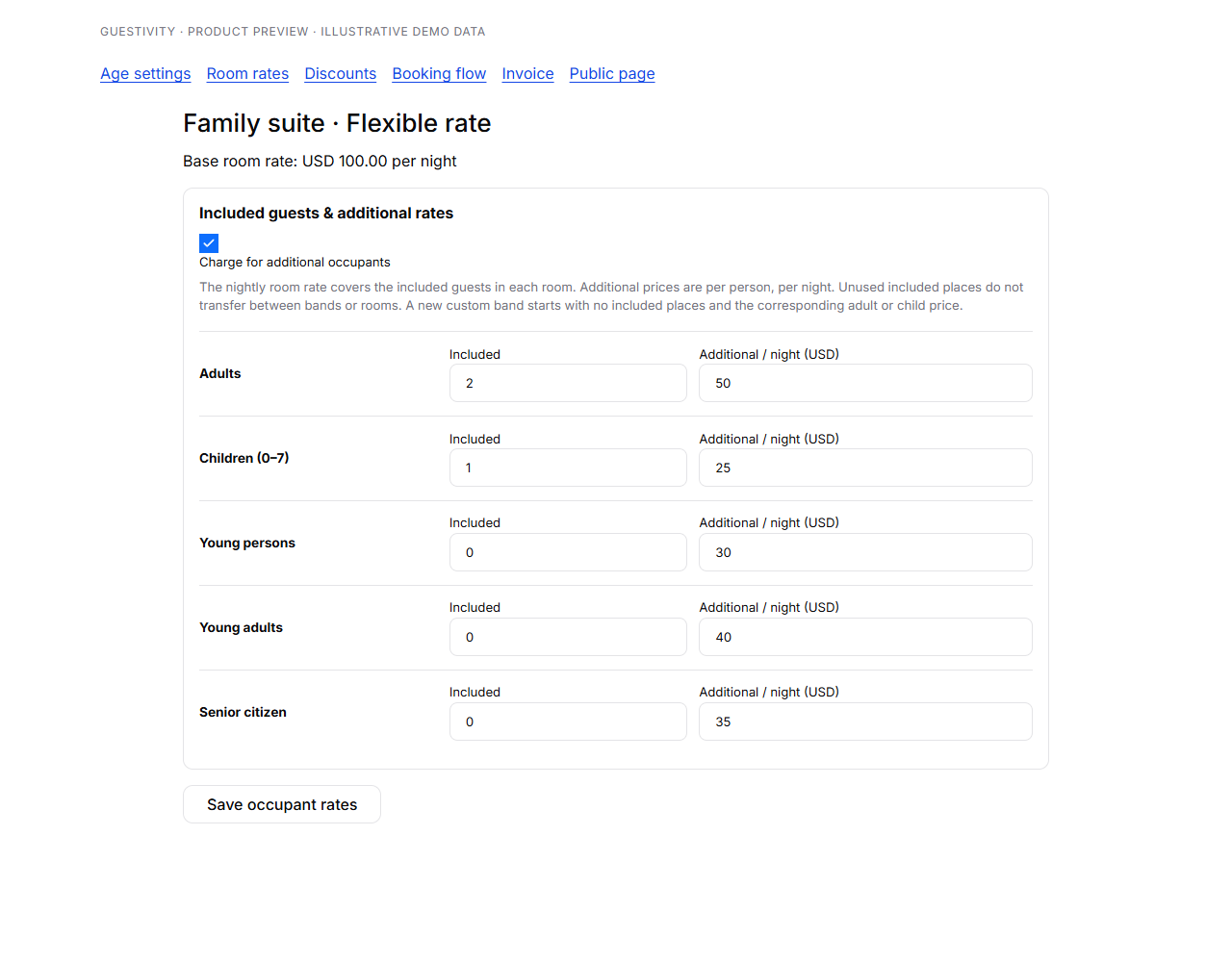
Keep your included room rate and extra-guest charges separate. A code can cover the base rate, everyone, or a chosen number of additional guests in each age band.

  • Set your child age limit, with optional young-person and young-adult rates.
  • Create named age bands, such as senior citizen, with their own age ranges and prices.
  • Choose per-room, per-night discount limits for each band, including zero or all.
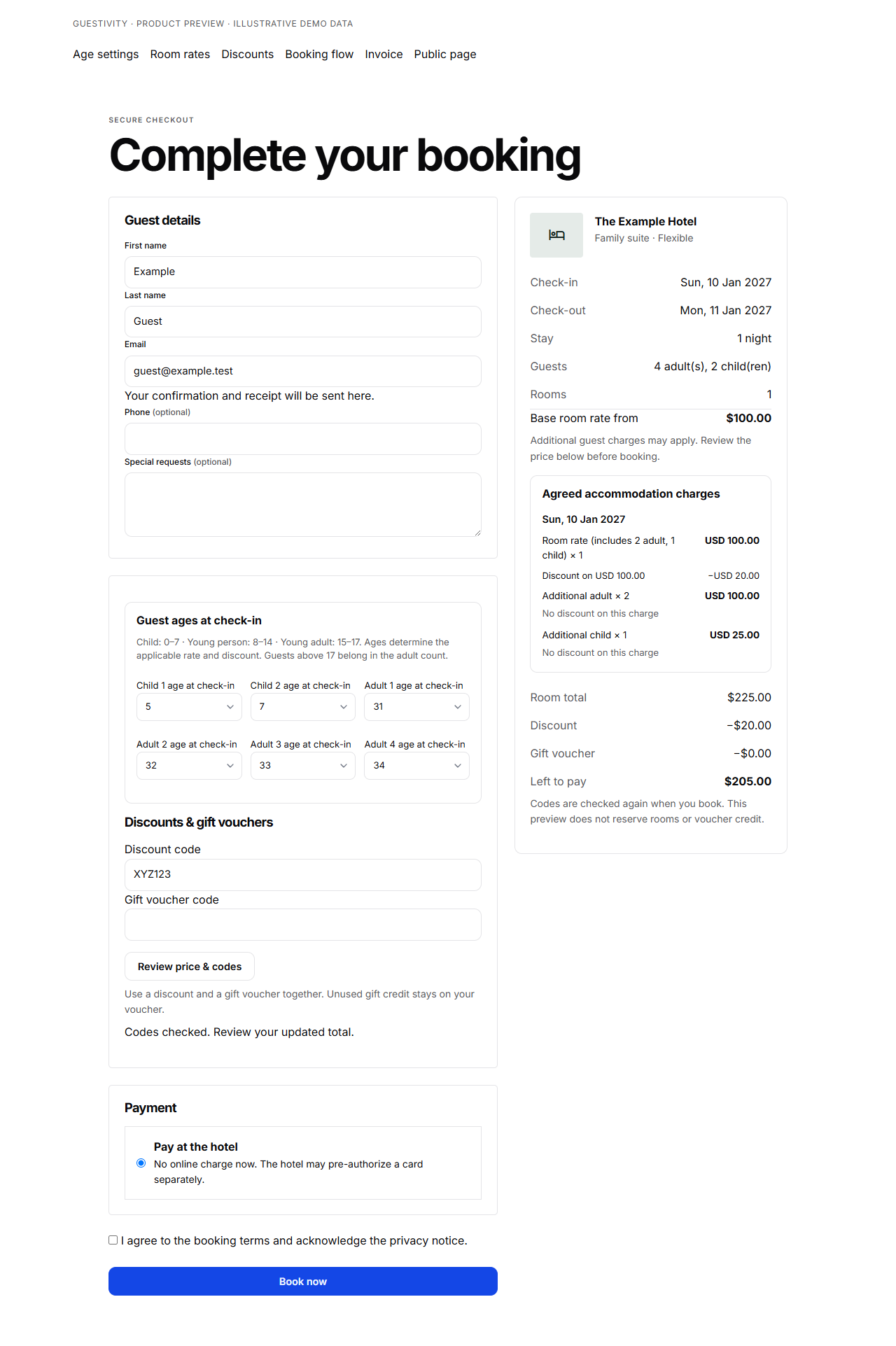
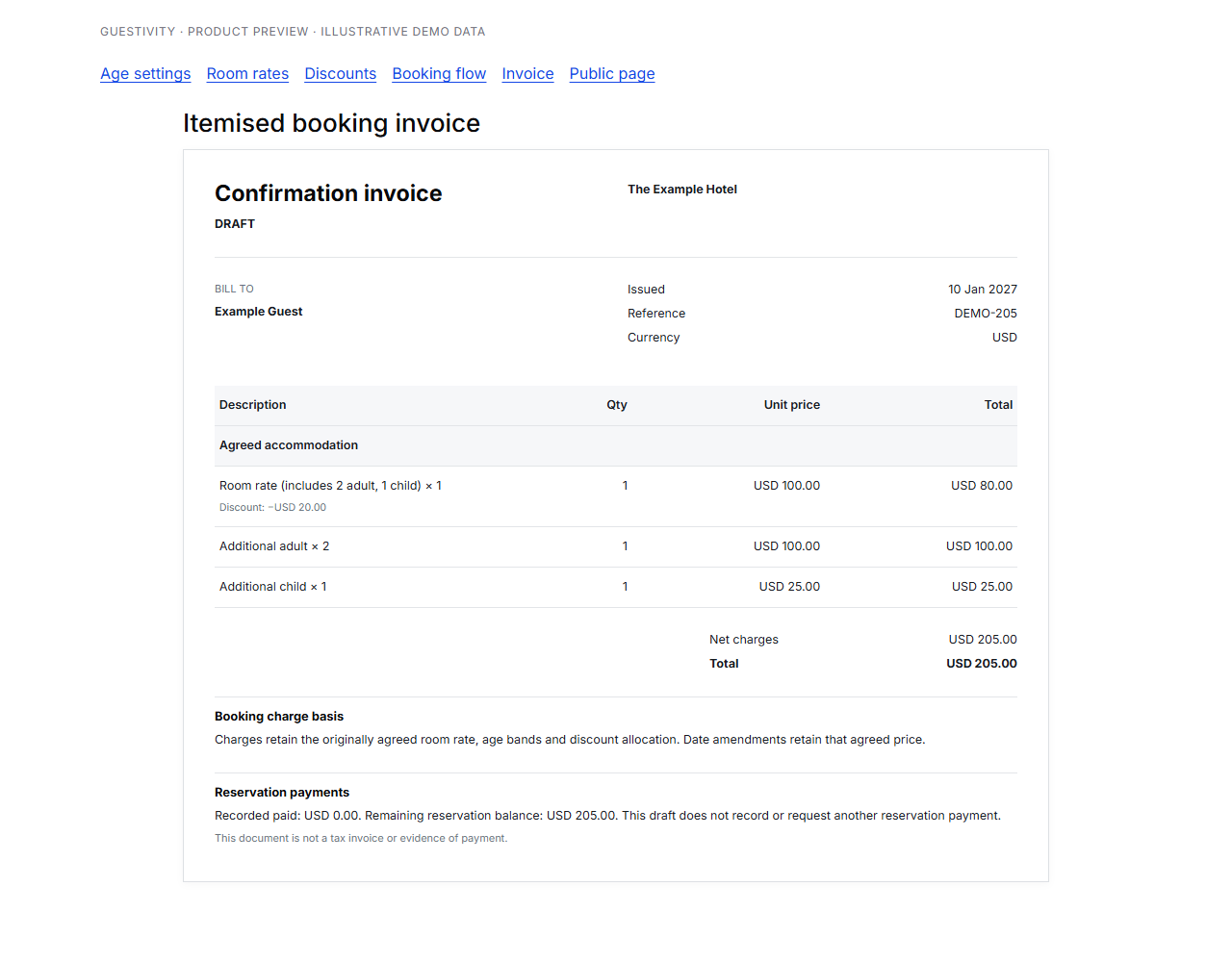
  • Show guests exactly what was discounted, then carry the agreed charges into an itemised invoice draft.

A $225 stay. A $20 saving. $205 to pay. With a $100 included rate for two adults and one child, two extra adults at $50 each and one extra child at $25, a 20% base-rate-only code saves $20. Apply it to everyone instead and the same stay costs $180.

The included room rate is one bundle. Additional occupant limits apply separately to each room and night. Examples exclude taxes and fees.

Make the next stay more inviting

Give guests a reason to come back.

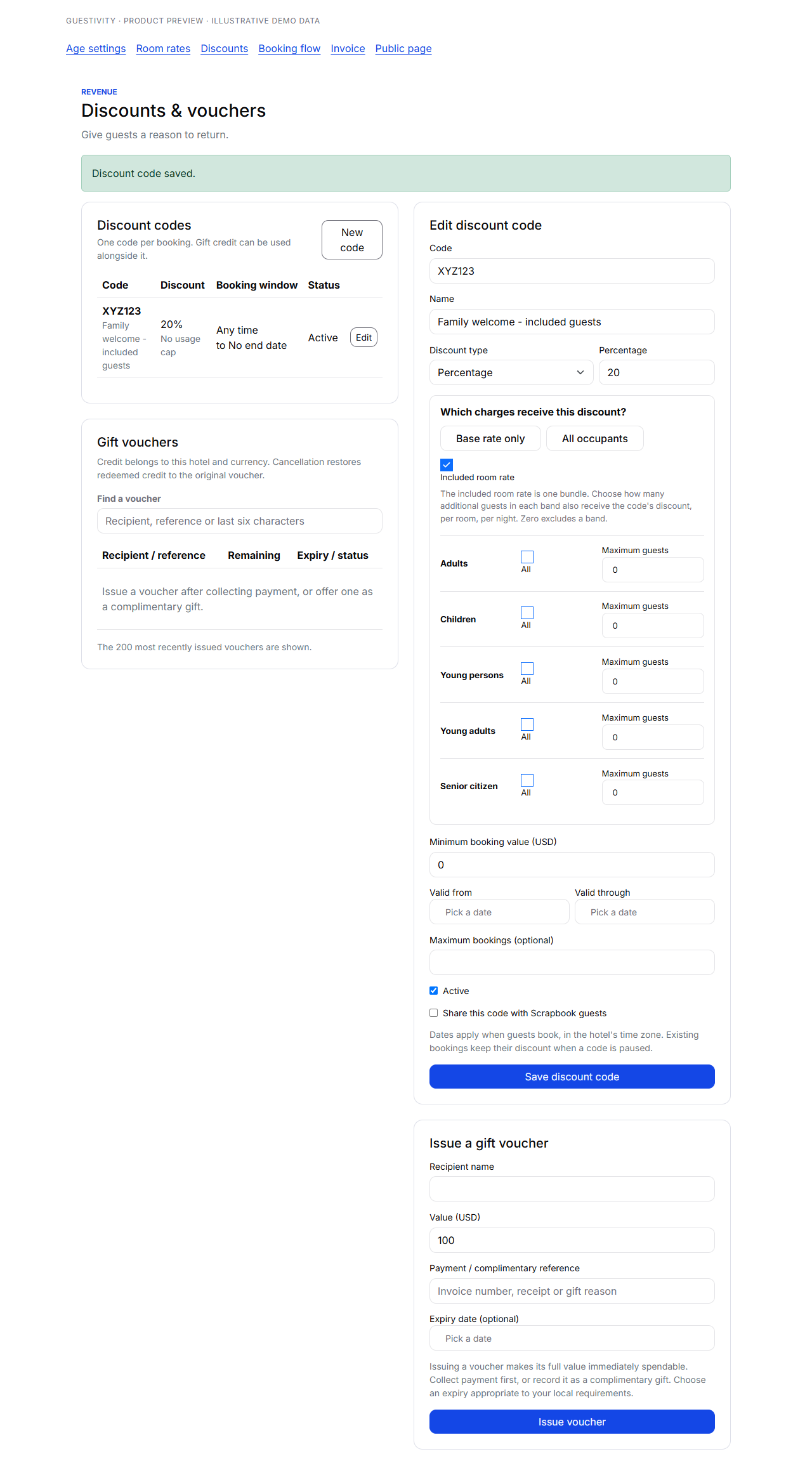
A welcome-back offer. A birthday gift. A little credit towards another weekend away. Bring discount codes and gift vouchers into your direct booking experience.

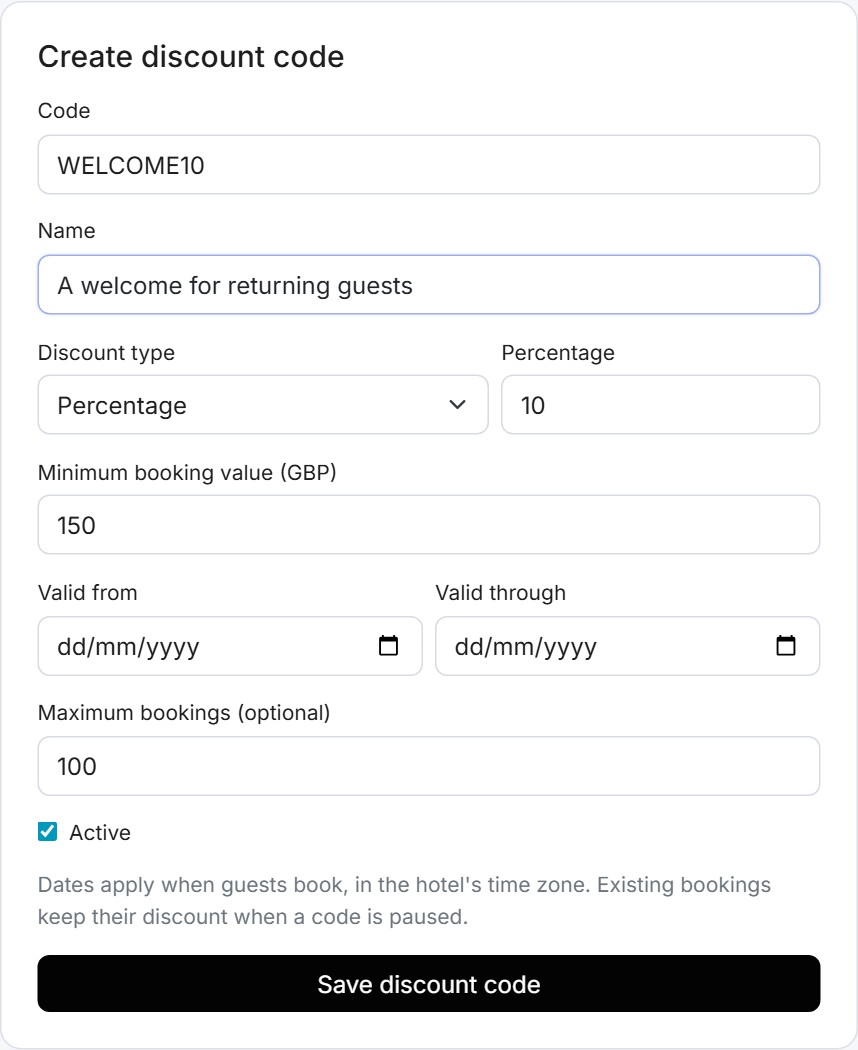
  • Create percentage or fixed discounts, with minimum booking values, validity dates and usage limits.
  • Issue hotel gift vouchers after collecting payment, or offer credit as a complimentary gift.
  • Let guests combine a discount code and a voucher at checkout, with a clear amount left to pay.
  • Keep unused voucher credit available for another stay. Cancellation restores redeemed credit to the original voucher.

Vouchers apply to the issuing hotel and currency, with an optional expiry date. Hotels issue and share the codes; online gift-voucher purchases are not currently offered.

Bring your guests back
Guestivity discount code editor showing a WELCOME10 percentage offer, minimum booking value, validity dates and a maximum booking limit
Discount code editor · Demo account with an unsaved welcome-back offer.

A direct relationship

Your guest books with you. Keep it that way.

For bookings made directly through Guestivity, your team handles confirmations, guest conversations, invoices and payments in one place. There is no OTA-issued payment voucher to redeem for these direct bookings.

Bookings made through an OTA remain subject to that OTA’s payment arrangements.

Payment options that fit the stay

Use integrated Stripe Connect checkout, add your own payment link to an invoice, or provide bank-transfer instructions.

Stripe ConnectYour payment linksBank transfer

Native PayPal, Square and Sampath checkout is planned. Payment-provider fees, eligibility and settlement terms apply.

Let guests look around

A room tour can say more than another photo.

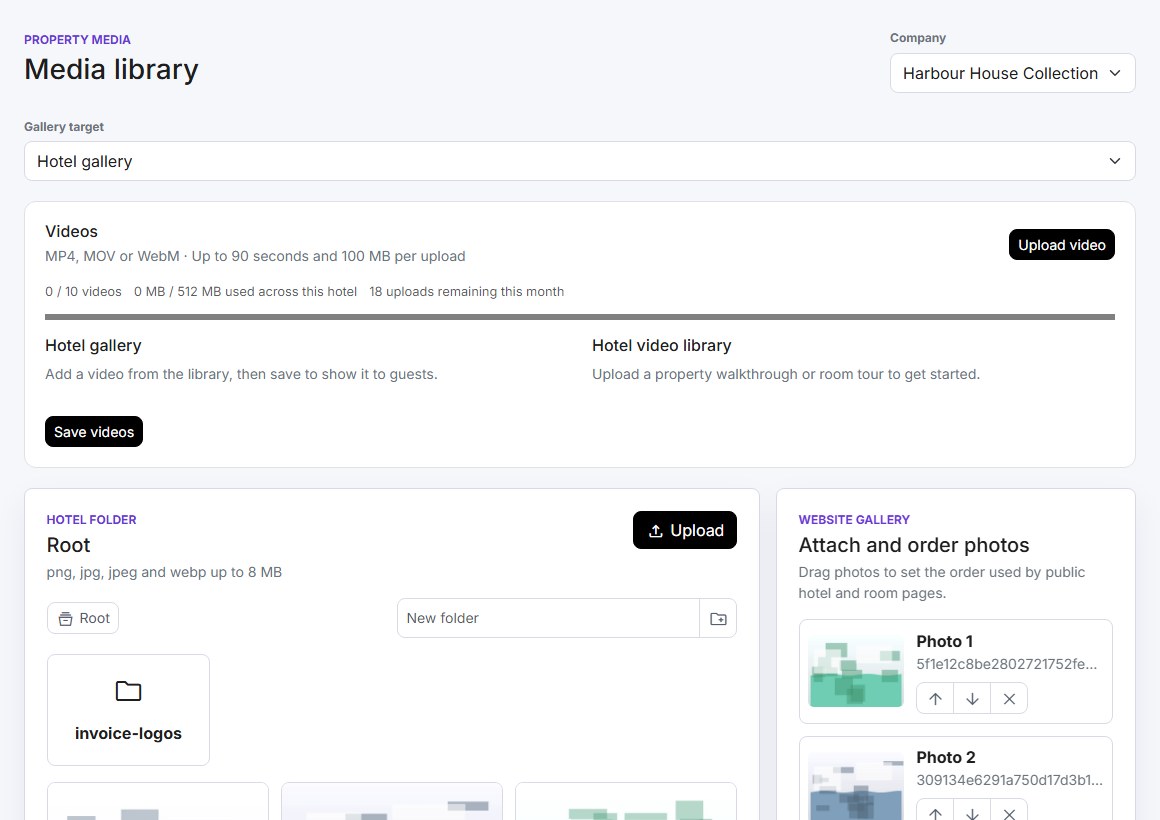
Upload a property walkthrough, show the view from a suite or introduce the spaces that make your hotel special. Add videos to hotel and room galleries, with descriptions and the order you choose.

  • 10 videos per hotel, shared across hotel and room galleries.
  • Up to 90 seconds and 100 MB per upload.
  • Mobile and desktop versions prepared automatically.
  • Guests press play when they are ready.

Included across plans: 512 MB of processed video storage and 30 upload attempts per month per hotel. MP4, MOV and WebM supported.

Hotel media library showing the video upload control, per-hotel allowance and hotel or room gallery selection
Media library · Video uploads and gallery controls in the demo account.

Revenue intelligence

Adjust your rates with a reason behind every change.

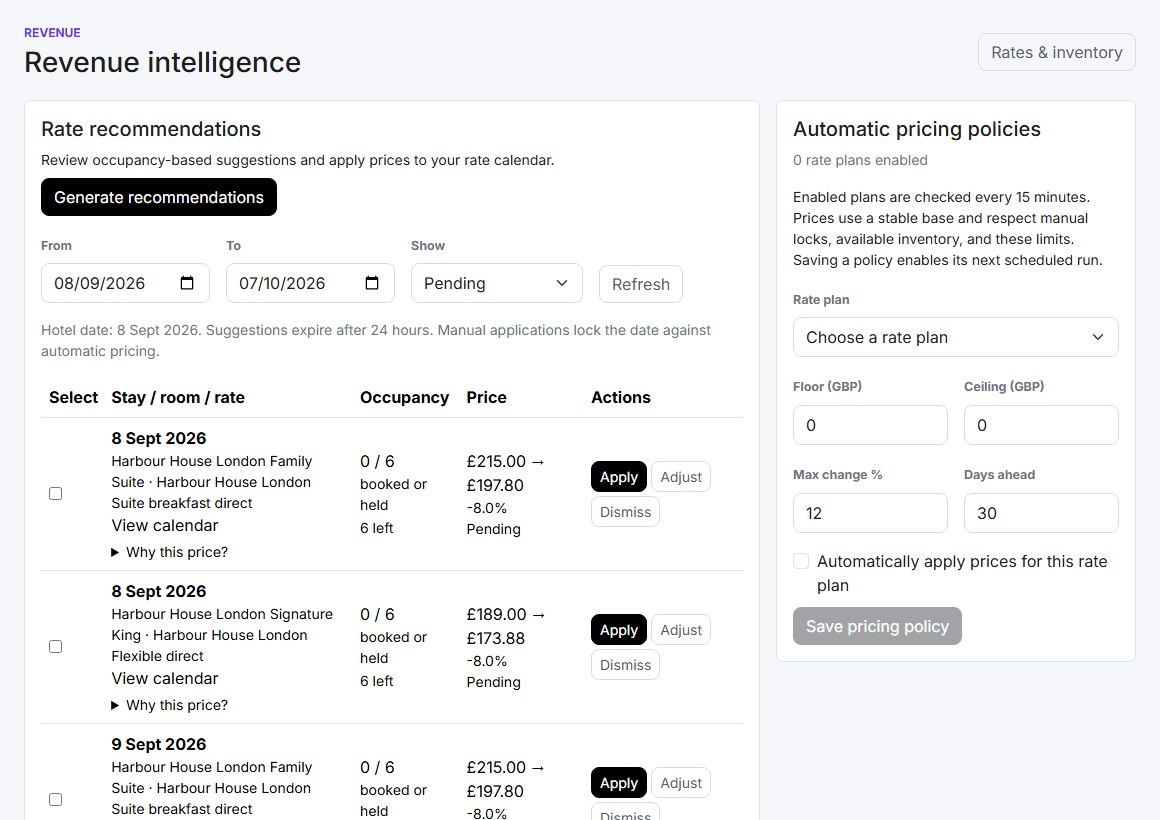
Review recommendations based on occupancy, see why a price was suggested and decide whether to apply, adjust or dismiss it.

For routine updates, enable automatic pricing per rate plan. Set a price floor, ceiling and maximum change, while protecting dates you have manually locked.

  • Review current and recommended rates side by side.
  • Choose how far ahead an automatic policy can work.
  • Keep a decision history for your team.
Occupancy-based rate recommendations beside automatic pricing policy controls for floors, ceilings and maximum price changes
Revenue intelligence · Example recommendations; automatic policies are optional.

Workflow automations

Set the steps. Keep your team in control.

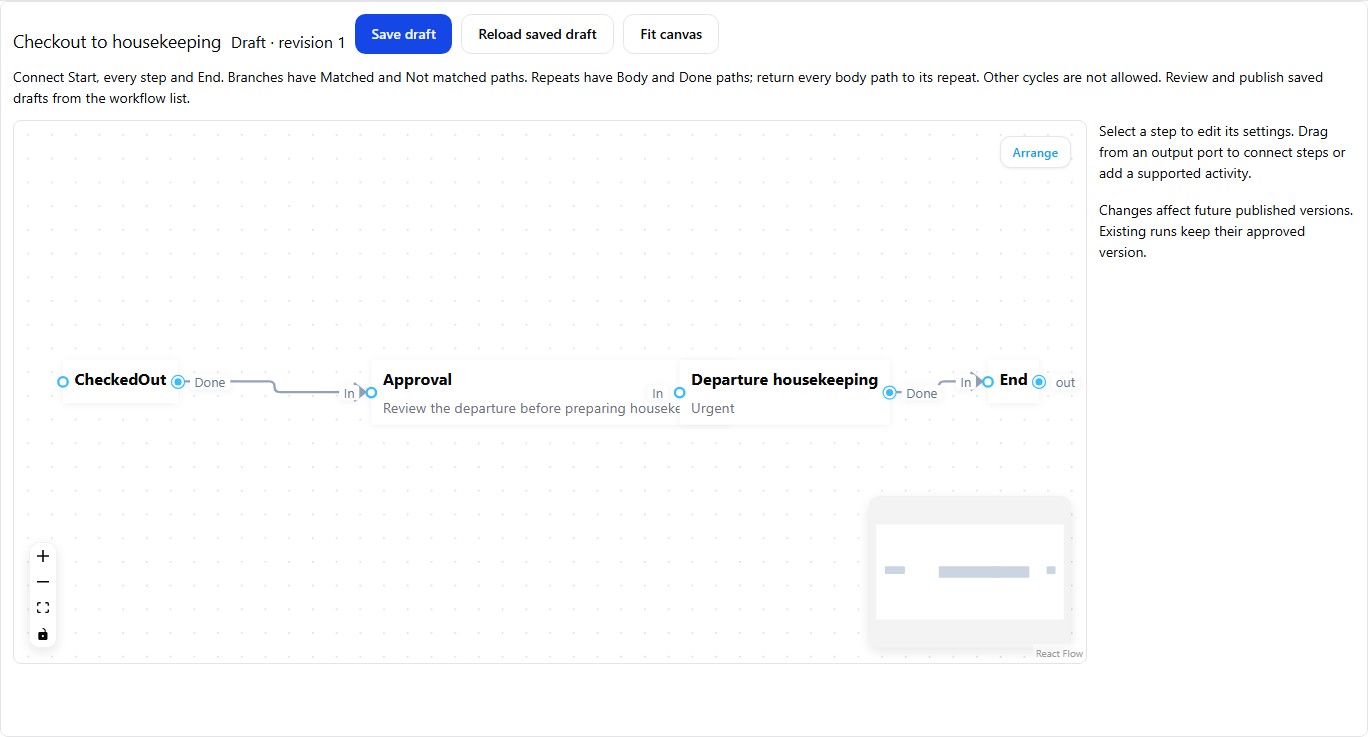
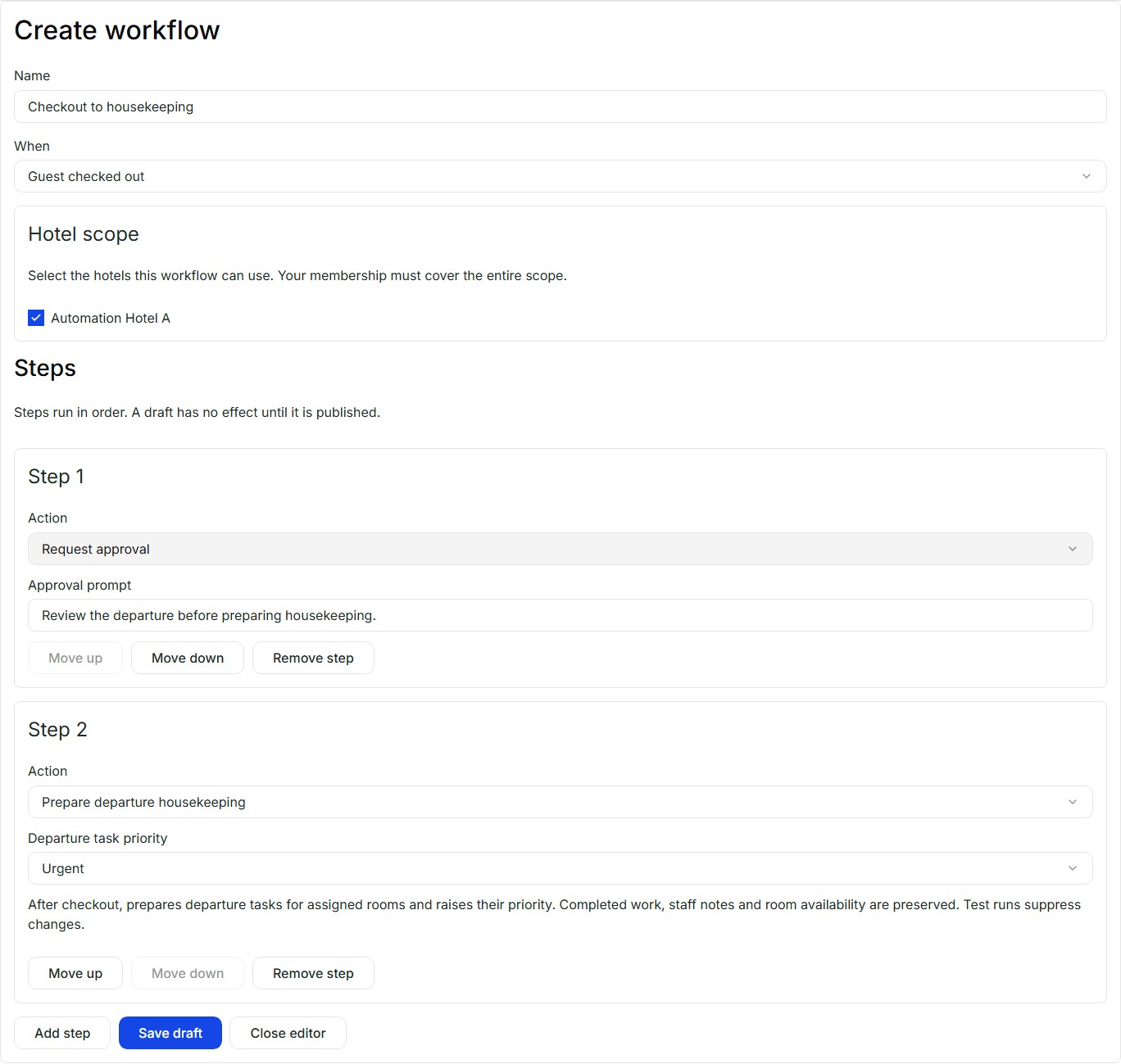
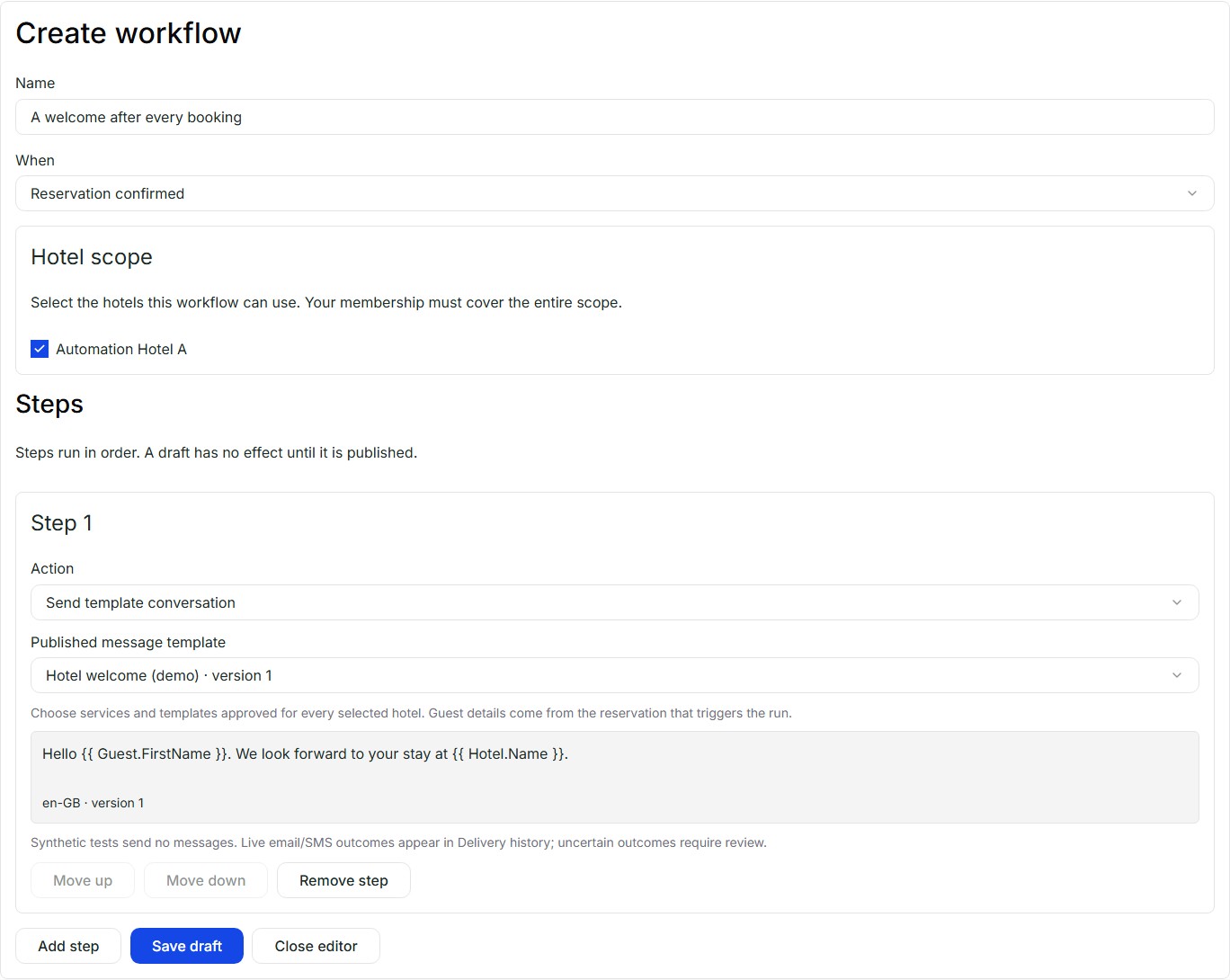
Turn booking updates, checkouts and hotel-local schedules into clear next steps. Build visual workflows that request approval, send guest messages, alert staff and prepare departure housekeeping.

  • Build around your hotel. Start from a template or arrange steps in the visual builder, with conditions, waits and repeated steps.
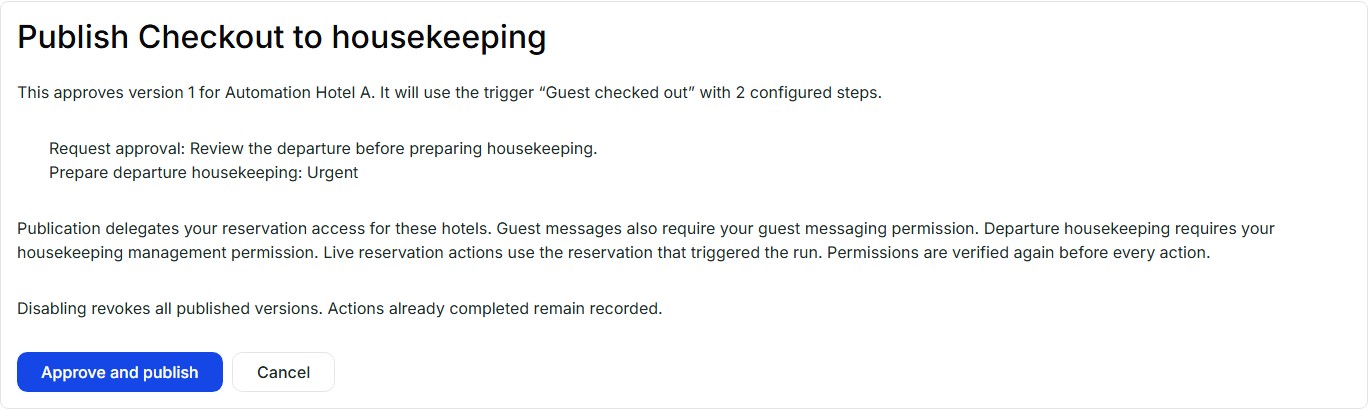
  • Keep people in the loop. Ask for approval before a workflow moves on, and review the steps and permissions before publishing.
  • Keep each company separate. Choose the organization and hotels a workflow can use. Team access and run history follow those permissions.
  • Check the flow safely. Test runs suppress guest messages and operational changes. Inspect the history to see what happened and what needs attention.

These screenshots show the actual interface with demo hotel data. Workflow automations are available in Workspace. Usage allowances apply.

Compare hotel software features

Your hotel's communications

Your voice. Your sender. A warmer welcome.

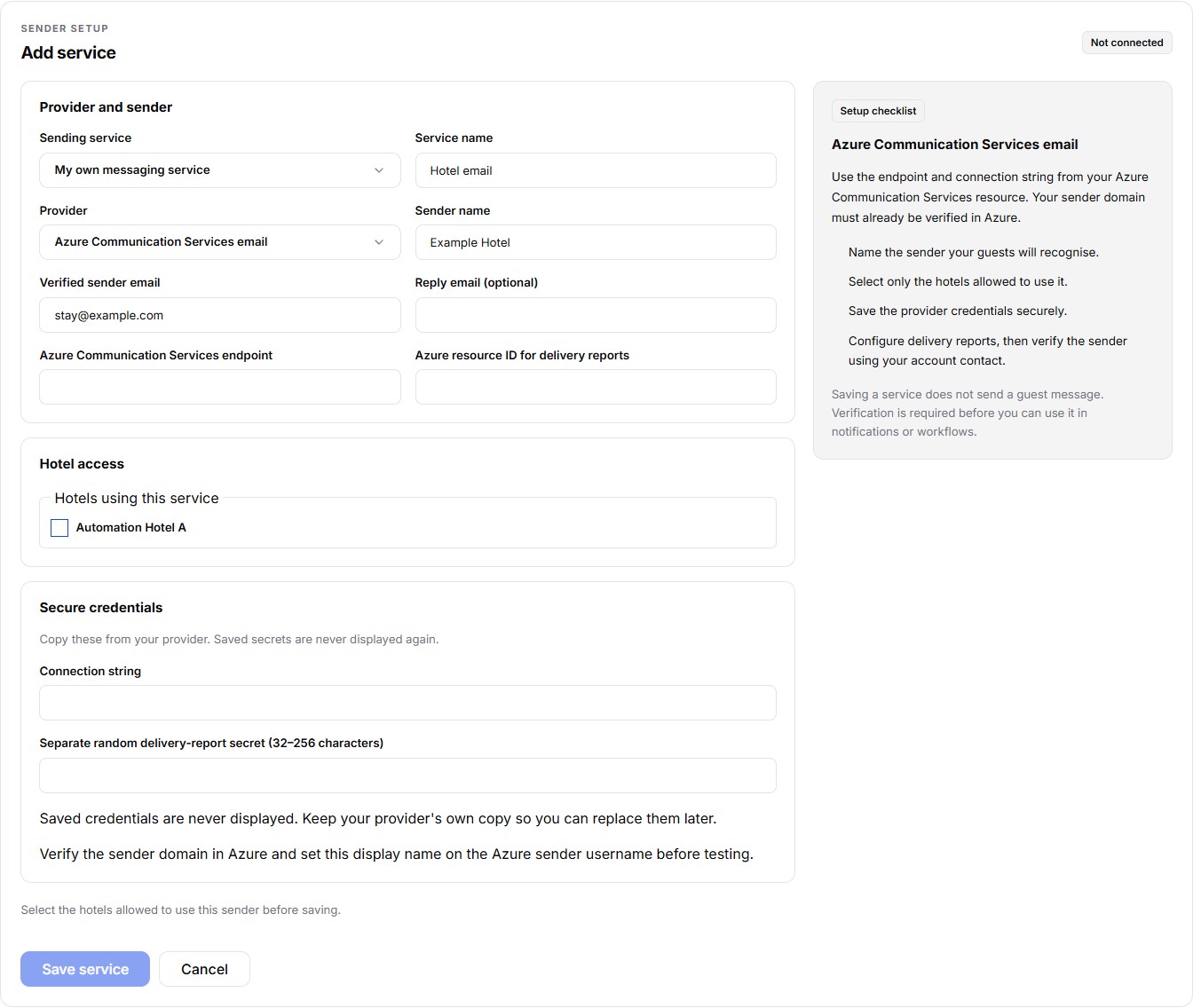
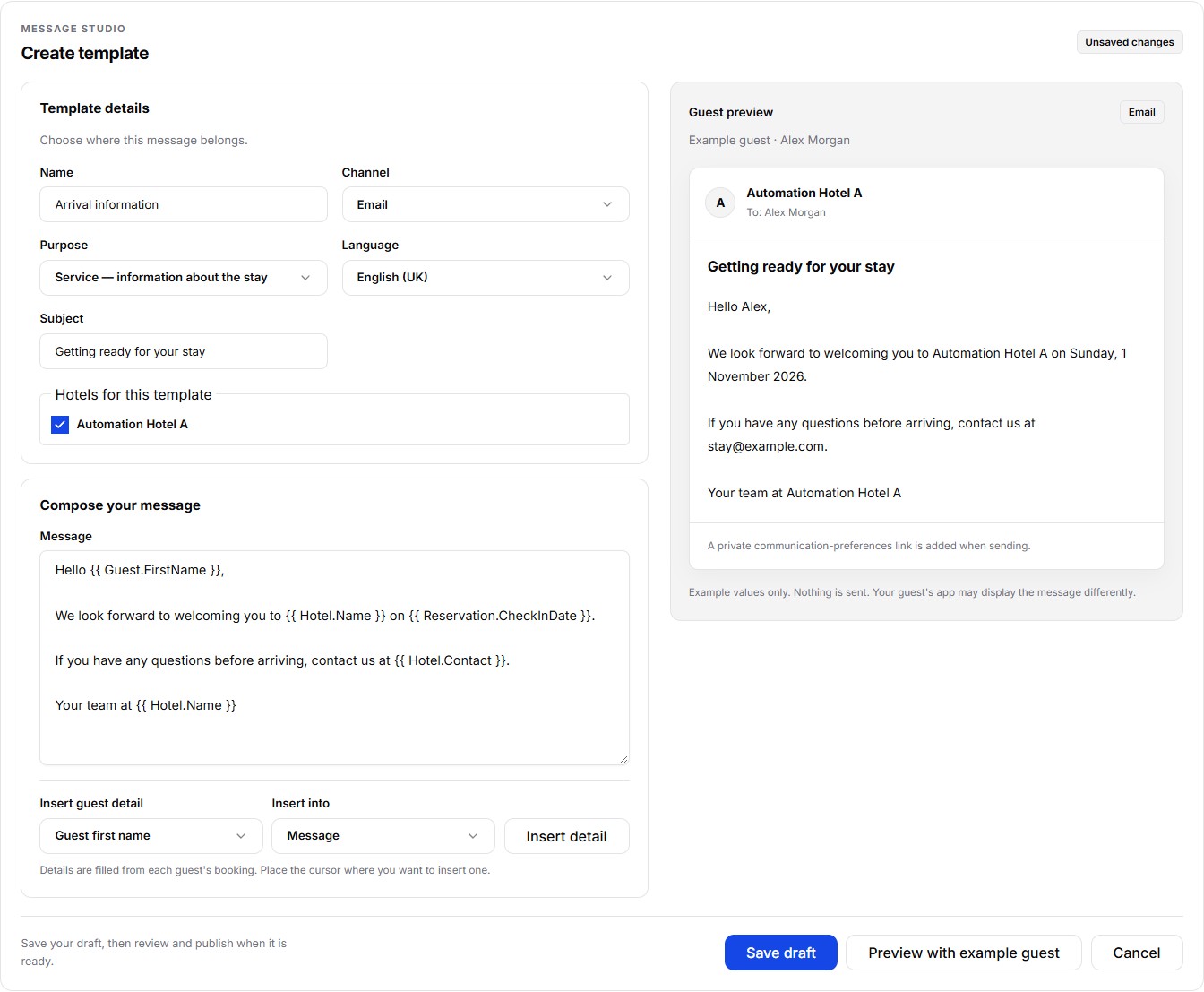
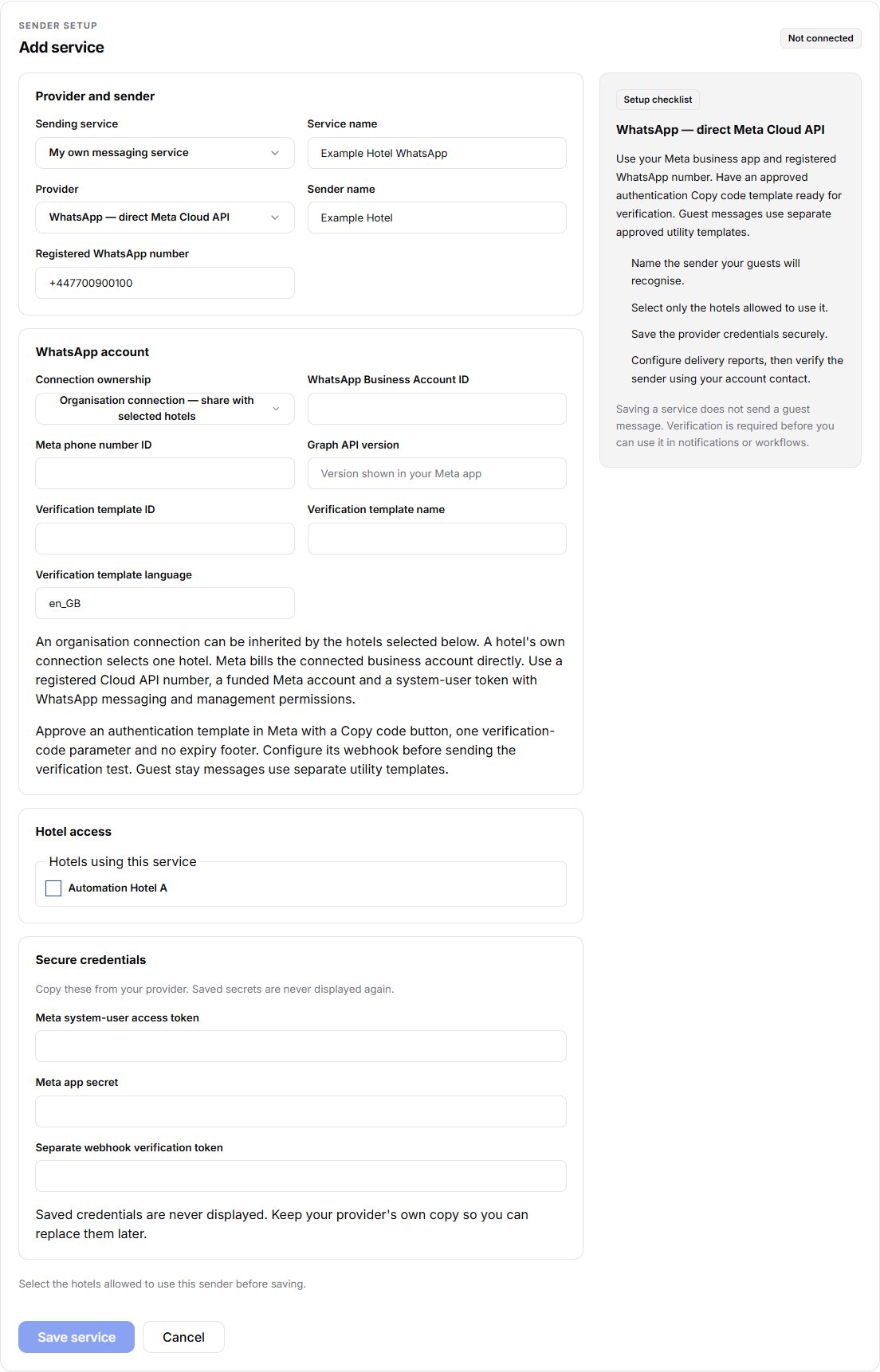
Let guests hear from your hotel, with messages written in your own voice and replies directed to your team. Connect your email, SMS or WhatsApp provider and review the messages your automations will use.

  • Choose your service. Connect Azure Communication Services email and SMS, SendGrid, SMTP email, Twilio SMS or direct Meta WhatsApp. A hotel can use its own WhatsApp connection or an authorised organisation connection.
  • Make each message yours. Customize published templates with approved guest, hotel and reservation placeholders, and choose the hotels that can use them.
  • Put messages into the flow. Use reviewed email, optional SMS, WhatsApp or conversation-template actions in booking-triggered workflows. Test runs suppress deliveries.
  • Keep control after sending. Review email, SMS and WhatsApp delivery outcomes and guest messaging preferences from the workspace.

Connect and verify your service before enabling guest messages. WhatsApp uses Meta-approved utility text templates and a separate guest opt-in. Screenshots show the actual interface with demo hotel data. Connected providers charge for usage; sender verification, SMS eligibility and usage allowances apply.

See communications in Hotel Software

A clearer working day

Keep availability, rates and the front desk in step.

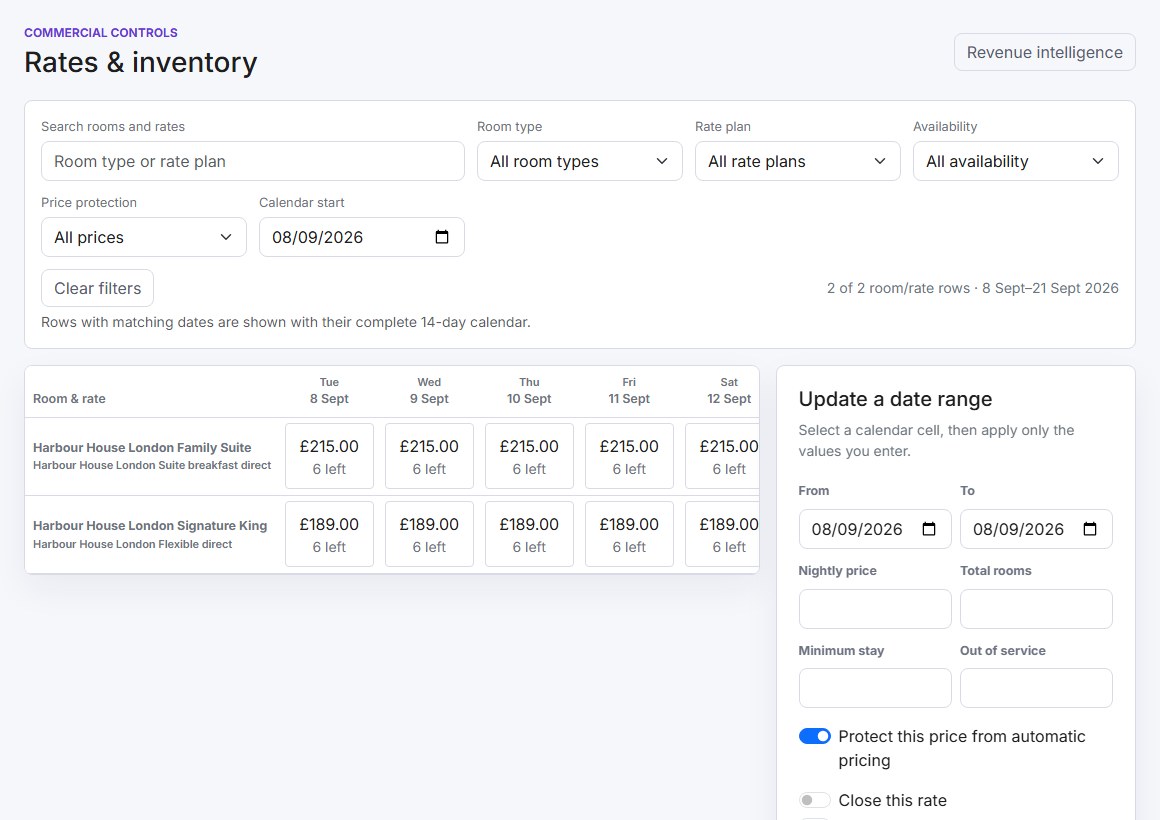
See prices and remaining rooms across a date range. Filter by room type, rate plan and availability to get to the dates that need attention.

Search reservations as you type, manage arrivals and departures, assign rooms and follow housekeeping progress from the same workspace.

  • Control stay restrictions, closures and prices.
  • Track occupancy, ADR, RevPAR and room revenue.
  • Give staff access appropriate to their role and property.
Rates and inventory calendar with room and rate filters, nightly prices and remaining room counts
Rates & inventory · Actual demo property data. Select any screenshot to enlarge it.

GUESTIVITY STREAM

Build stronger relationships
with travel agents.

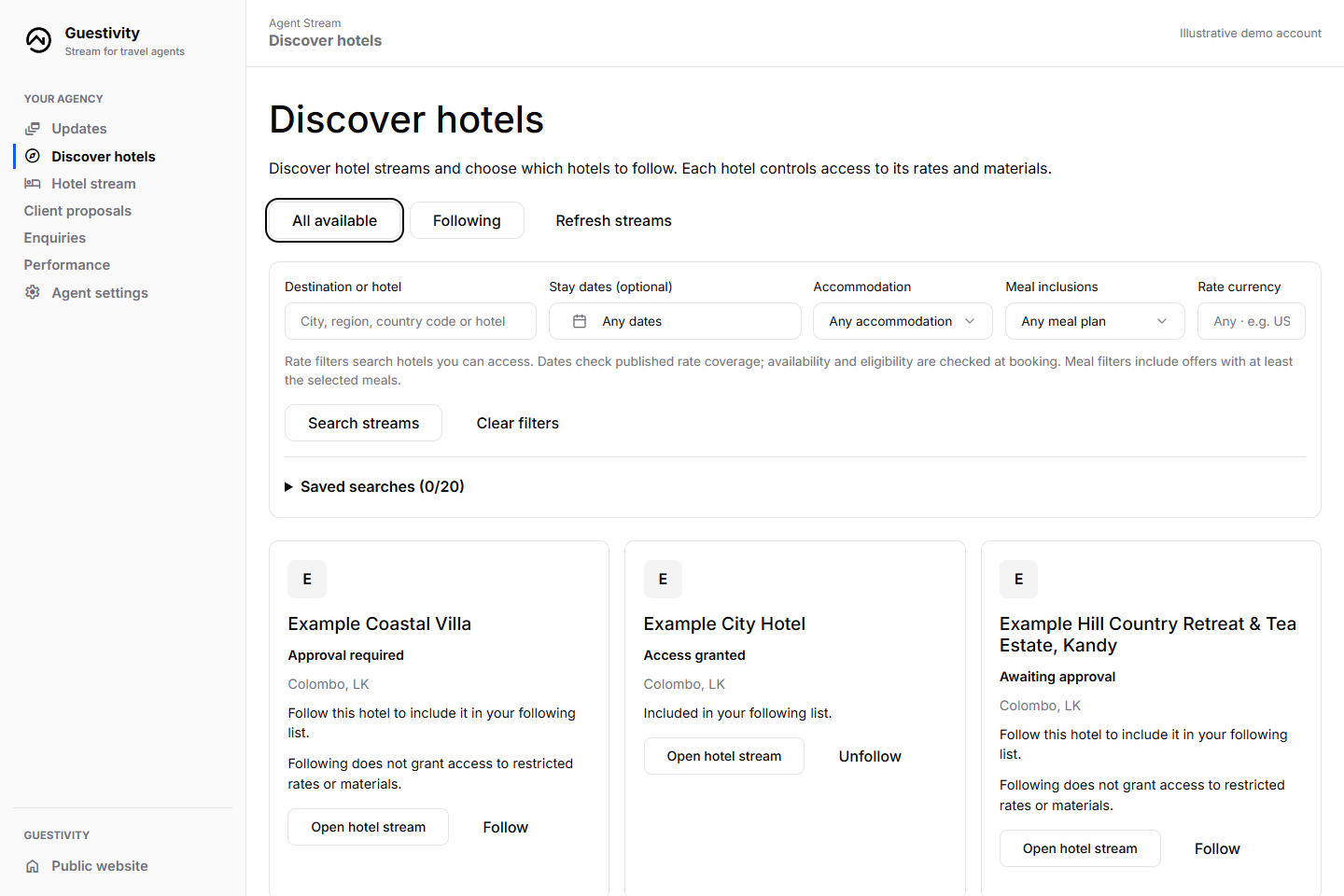
Give agency partners a clear place to find your published rates, approved images and current updates. Invite agencies you know or review new requests, with checked business details and relationship history alongside each decision.

  • Control agency access and publish effective-dated rates, promotions and operational updates.
  • Answer group, special-requirement and quote enquiries with the stay details attached.
  • Help agents compare hotels and share client proposals before checking live availability at booking.
  • Review attributed bookings and performance, and export reports with currencies kept separate.

Agree commission separately with an agency owner when it suits your partnership. Versioned terms and booking-based statements keep adjustments clear; statements do not transfer payments.

Explore the travel agent Stream
An agent discovering hotel partners using destination, stay-date, meal-plan and currency filters in Guestivity Stream
The agent’s view of your hotel partnerships. Actual interface with illustrative demo properties.

Agent signup is free and needs no payment card. Your hotel’s access decisions remain separate from agency verification. Agent commission agreements are separate from Guestivity’s hotelier subscription and revenue-share fees.

More hotels. More rooms. Same monthly price.

One boutique hotel or a growing collection. Start at $9.99 USD for your first month, then $49.99 USD/month for unlimited companies, hotels and rooms under one account.

Create your hotel account

Direct bookings from your website

Let guests start their booking where they found you.

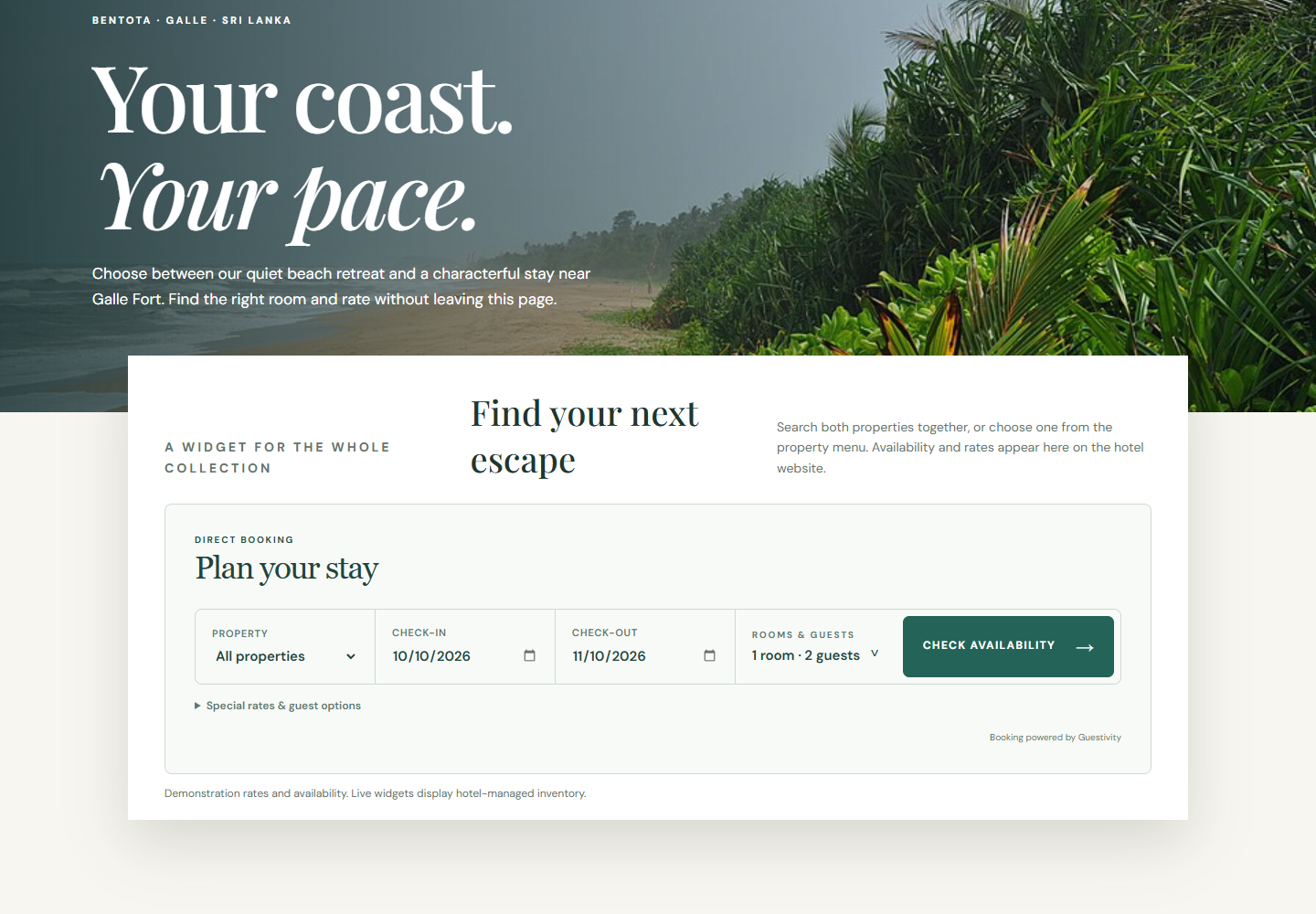
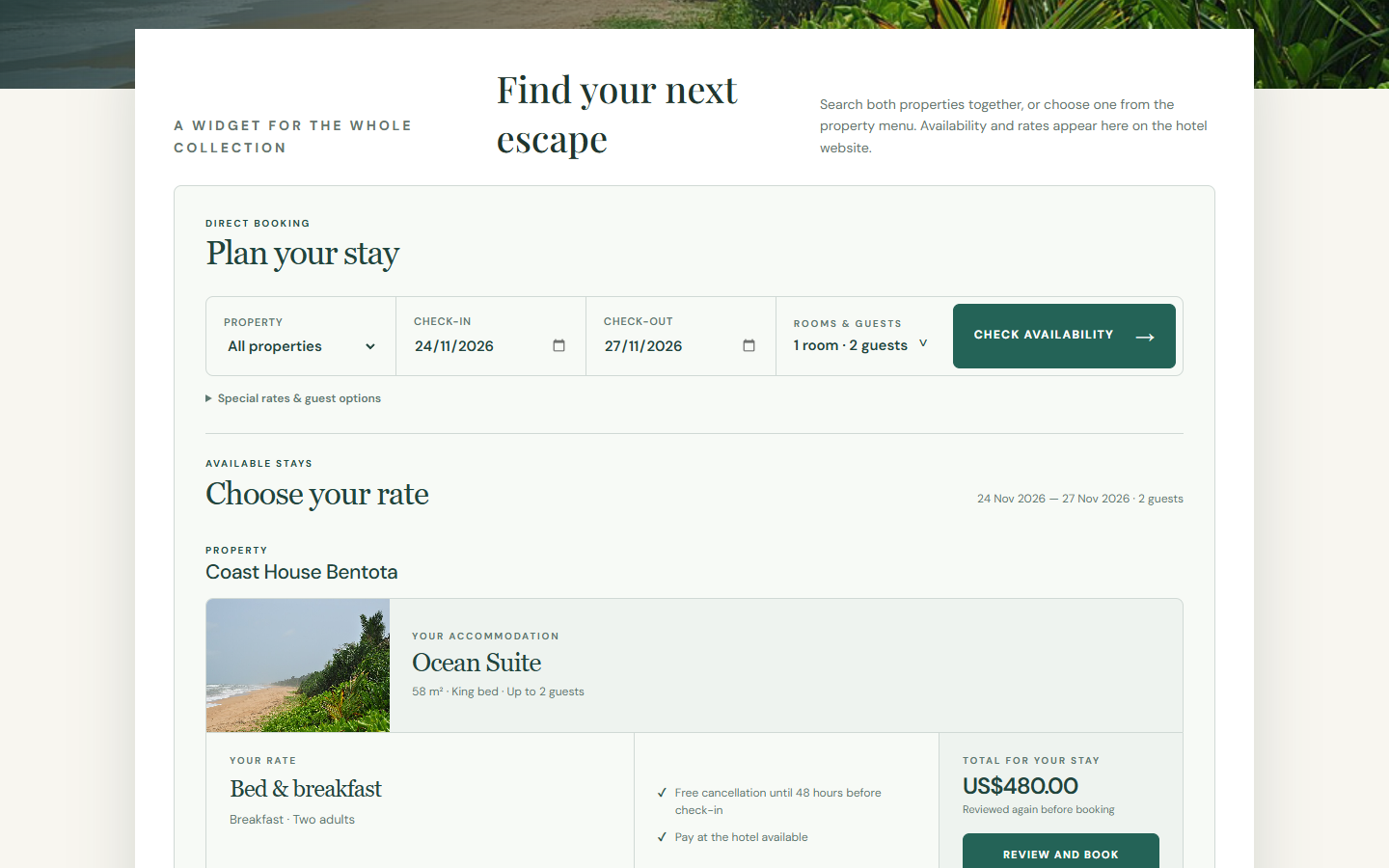
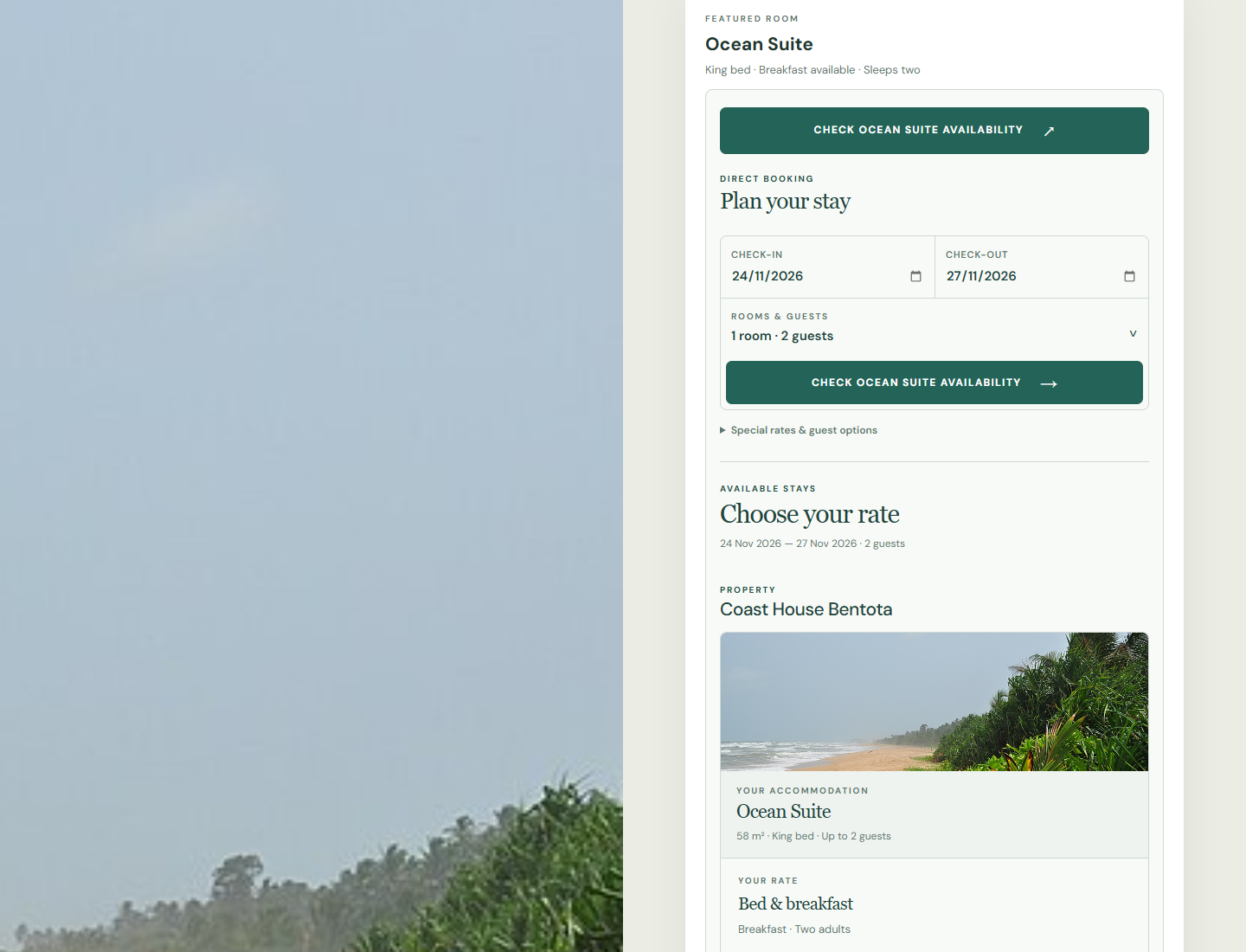
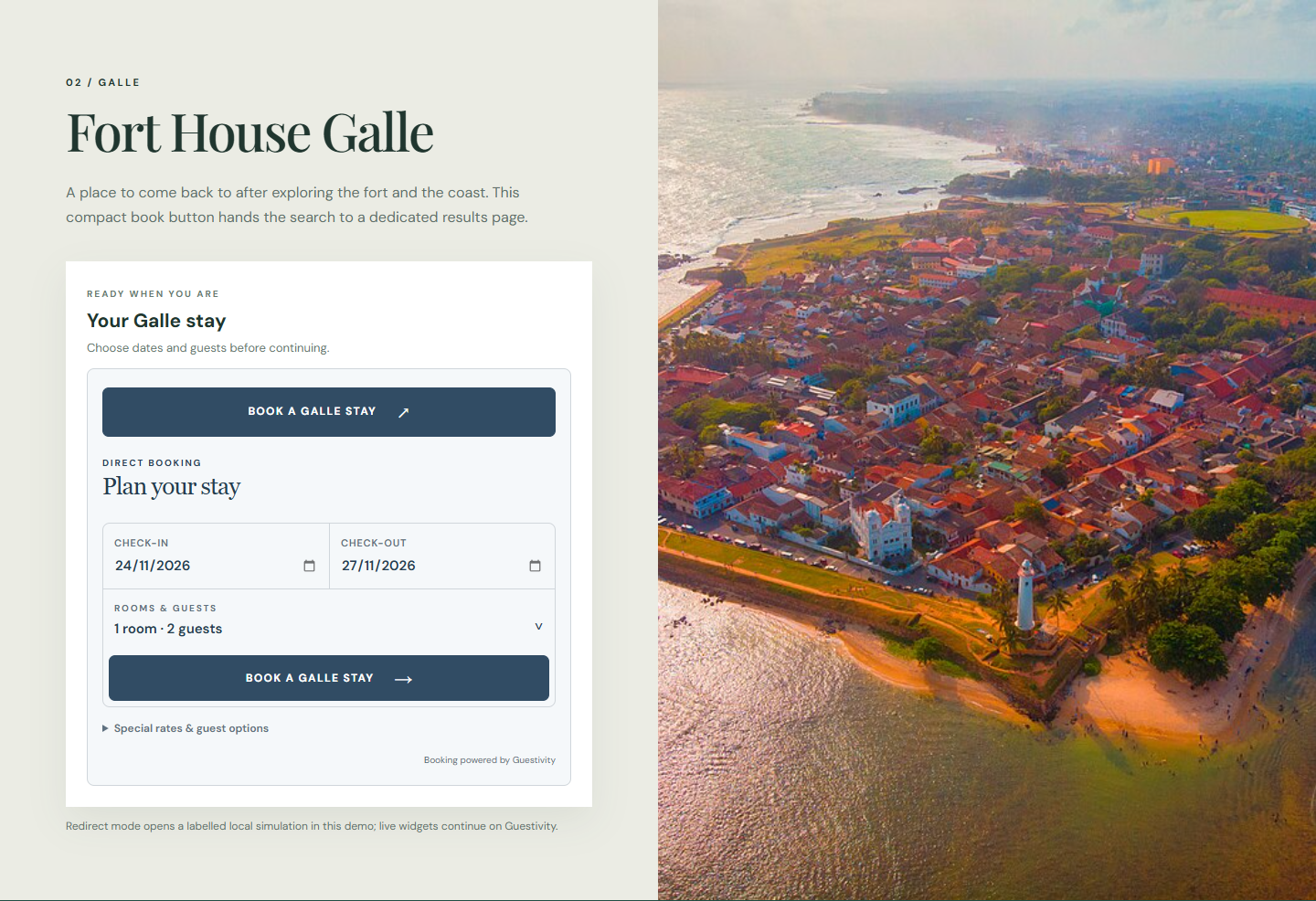
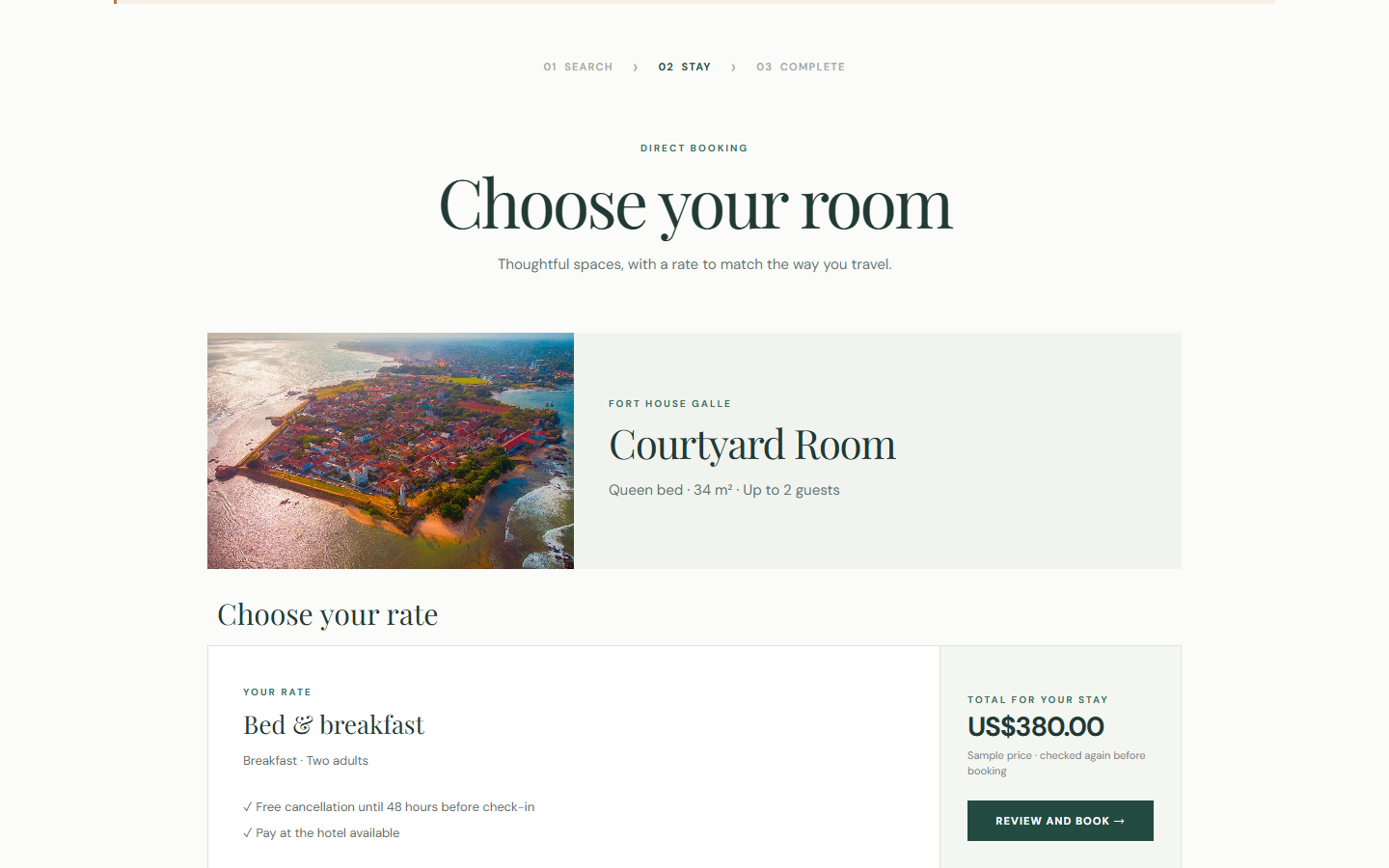
Place a search form, availability button or book button on your hotel website. Guests can check current rooms and rates without an iframe, see your published room photography and compare meal plans, booking terms and total stay prices. You decide whether results appear on your site, open on Guestivity, or show a short preview before continuing.

  1. 01

    Choose the scope

    Make one widget for several hotels, a single property or selected rooms and offers.

  2. 02

    Make it yours

    Set the button text, colours, typography and spacing in Workspace, then copy the embed snippet to your site.

  3. 03

    Welcome the booking

    Guests search on your site and continue to Guestivity to review and complete their reservation.

Screenshots show a fictional two-property hotel using Guestivity’s actual widget loader with illustrative availability and rates. The final handoff screen is a local simulation; live bookings continue securely on Guestivity.

Something went wrong. Reload